

Genemod
Simplifying Laboratory Management through Intuitive Design

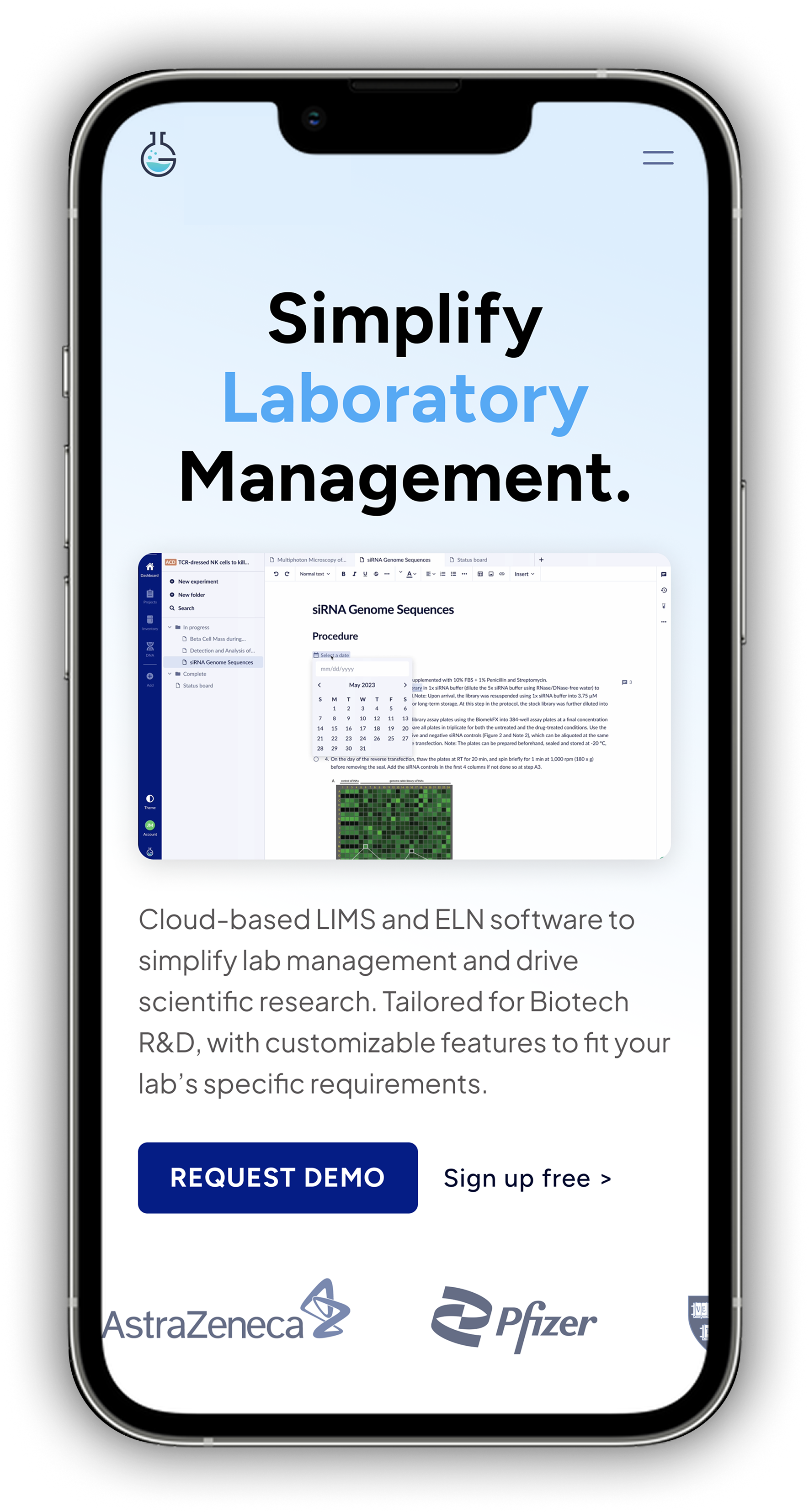
Overview
As a UX/UI Designer at Genemod, I lead design initiatives across our scientific information management platform — spanning web, mobile, and tablet design.
Since joining in 2023, I’ve worked in a fast-paced startup environment where I wear multiple hats — from UX research and product design to light project management. This close collaboration with customers and internal teams gives me firsthand insight into how scientists actually use our platform and what they need most.
Key Contributions
Designed new SaaS features that expanded core functionality (e.g., Analytics Dashboard, Orders, Equipment Management)
Built scalable design systems to standardize UI patterns and improve developer handoff
Conducted user research and feedback synthesis through customer interviews, feedback sessions, and ticket analysis
Improved usability by validating previously submitted UX/UI tickets and refining existing workflows
Created marketing assets for events, social media, and campaigns to boost brand visibility and engagement.
Led responsive design across desktop, tablet, and mobile
Role
UX/UI Designer (User Research, Visual Design, Usability Testing, Validation, User Feedback)
Timeline
December 2023 - Present
Tools
Figma, Miro, Google Forms, Adobe Creative Suite, Notion, Jira
The Challenge
As Genemod continued to expand its platform, my work spanned both proactive feature design and ongoing UX optimization.
While designing new platform features to enhance the product’s capabilities, I also manage ongoing customer-reported tickets and feedback, ensuring we continuously improve existing experiences in parallel with building new ones.
This balance between feature creation and UX refinement is essential in a startup environment — allowing us to deliver rapid value while maintaining usability and visual consistency at scale.
Common insights and challenges included:
Difficulty navigating between modules (Freezer, ELN, Orders, etc.)
Gaps in feature workflows (e.g., missing analytics or sample traceability)
Outdated or inconsistent UI patterns across web and mobile
Balancing new feature development with iterative improvements ensured that every design decision moved the platform closer to a cohesive, scalable, and user-centered system.
Researching and Understanding
Working closely with customers, product managers, and engineers, I use multiple feedback channels to guide my design priorities:
2. Customer Reported Tickets
Because Genemod operates in close collaboration with active biotech and academic labs, we receive a steady stream of customer tickets — ranging from bug reports to feature suggestions.
My approach:
Categorize & cluster: Group tickets by theme (feature type, visibility).
Prioritize by impact: Identify which pain points affect the largest number of users or key workflows.
Translate into design action: Convert high-impact tickets into scoped UX improvements or feature concepts.
Rather than treating these as isolated issues, I analyze them collectively to uncover recurring usability patterns and opportunities for product evolution.
What is a high impact ticket considered to us?
A ticket that disrupts a user’s ability to perform a core workflow.

1. User Interviews
For major product updates or new features, I help coordinate user interviews with existing customers to gain deeper qualitative insights.
Because Genemod’s audience includes scientists, lab managers, and operations specialists, it’s critical to understand their day-to-day processes, terminology, and constraints.
Key activities:
Collaborate with Product to design interview scripts that explore workflow pain points, feature expectations, and software expectations.
Conduct virtual sessions with users to observe how they perform specific tasks within the current system.
Synthesize findings into actionable insights and user journey maps that directly inform feature architecture and UI decisions.
Zoom and Microsoft Teams were used to allow us and our users the ability to share our screens.
For example, before launching the Analytics Dashboard, interviews displayed that lab managers often relied on external spreadsheets to track sample usage — validating the need for built-in visual data tools.
“I just want to be able to track my team’s order finances without needing to export and import my data from Genemod into Excel”
- Genemod user
3. Internal Testing & Validation
Beyond user research, I play an active role in validating design quality through internal testing before new features or fixes reach production.
This process helps ensure design consistency, reduce user frustration, and minimize customer-reported bugs after release.
Because Genemod operates in a fast-paced startup environment, I work closely with engineers and the CEO to perform in-depth QA testing on both new features and previously completed tickets.
My focus includes:
Testing new feature builds before release to verify that user flows, interactions, and visuals align with the intended design.
Identifying and documenting bugs in existing workflows (functionality issues, layout inconsistencies, accessibility gaps).
Revalidating resolved customer tickets marked “done” to ensure that fixes are implemented correctly and that no regressions occur.
Providing design updates or UI recommendations when fixes require layout or interaction improvements.
This proactive testing process helps reduce post-release issues and ensuring users experience the product as designed.
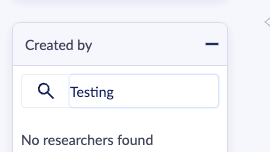

Example of internal testing documentation for a UI fix — validating the visual container border and interaction behavior before release.
4. Mapping Core Scientific Workflows
Before jumping into design concepts and to strengthen my understanding of how scientists interact with our platform end-to-end, I created detailed workflow maps covering Genemod’s core modules — including Freezers, Consumables, Notebook, Orders, and Protocols.
These maps visualize each user journey step, decision point, and task dependency across the platform, allowing the product and engineering teams to clearly see how one workflow impacts another.
By referencing these workflows, I was able to identify dependencies between modules, prioritize high-impact tickets, and ensure that new features integrated smoothly into existing user processes.
By establishing this system-wide map, I was able to:
Quickly identify high-impact pain points that affected multiple features.
Prioritize customer tickets that blocked core workflows (like sample tracking or data imports).
Provide engineers and PMs with a shared reference for system behavior, improving sprint clarity and design alignment.


User workflow mapping for Freezers — used to define core scientific processes and identify high priority tickets.
Example:
Ideation and Design
Once priorities are identified, I move into rapid ideation — creating low- to high-fidelity mockups in Figma and running internal design reviews with the product and engineering teams.
Each design cycle balances:
User needs (pain points, desired functionality)
Business goals (feature adoption, retention, conversion)
Technical feasibility (alignment with current system constraints)
When users requested better visibility into sample analytics, I designed an Analytics Dashboard within our LIMS system.
It provided a visual overview of sample usage, freezer capacity, and consumable stock levels — giving lab managers actionable insights at a glance.
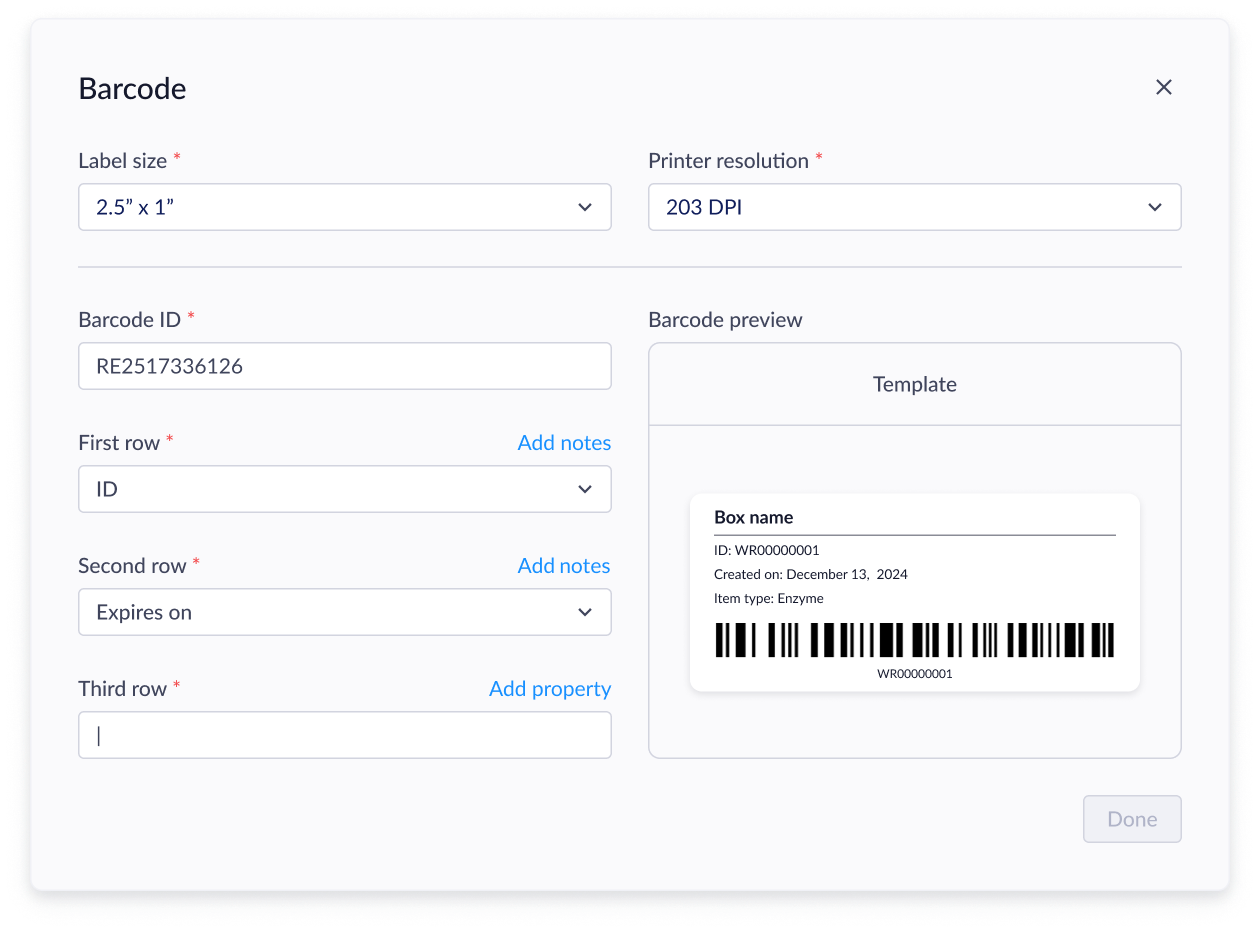
With the updated barcode UI users were able to:
Select more label size options
Adjust their printer resolution
Edit their Barcode ID if they were importing barcodes from another software
Customize the content on their label

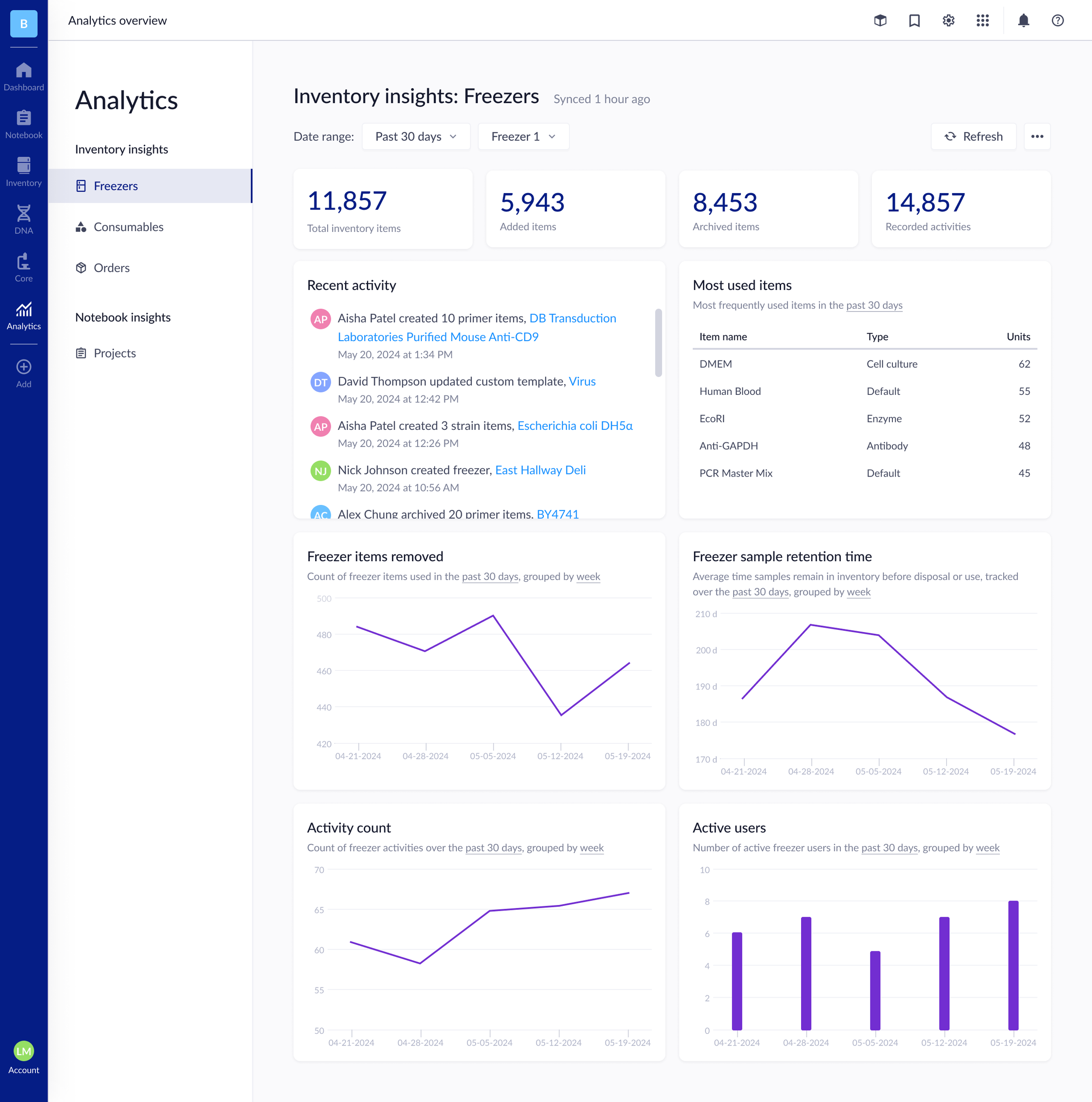
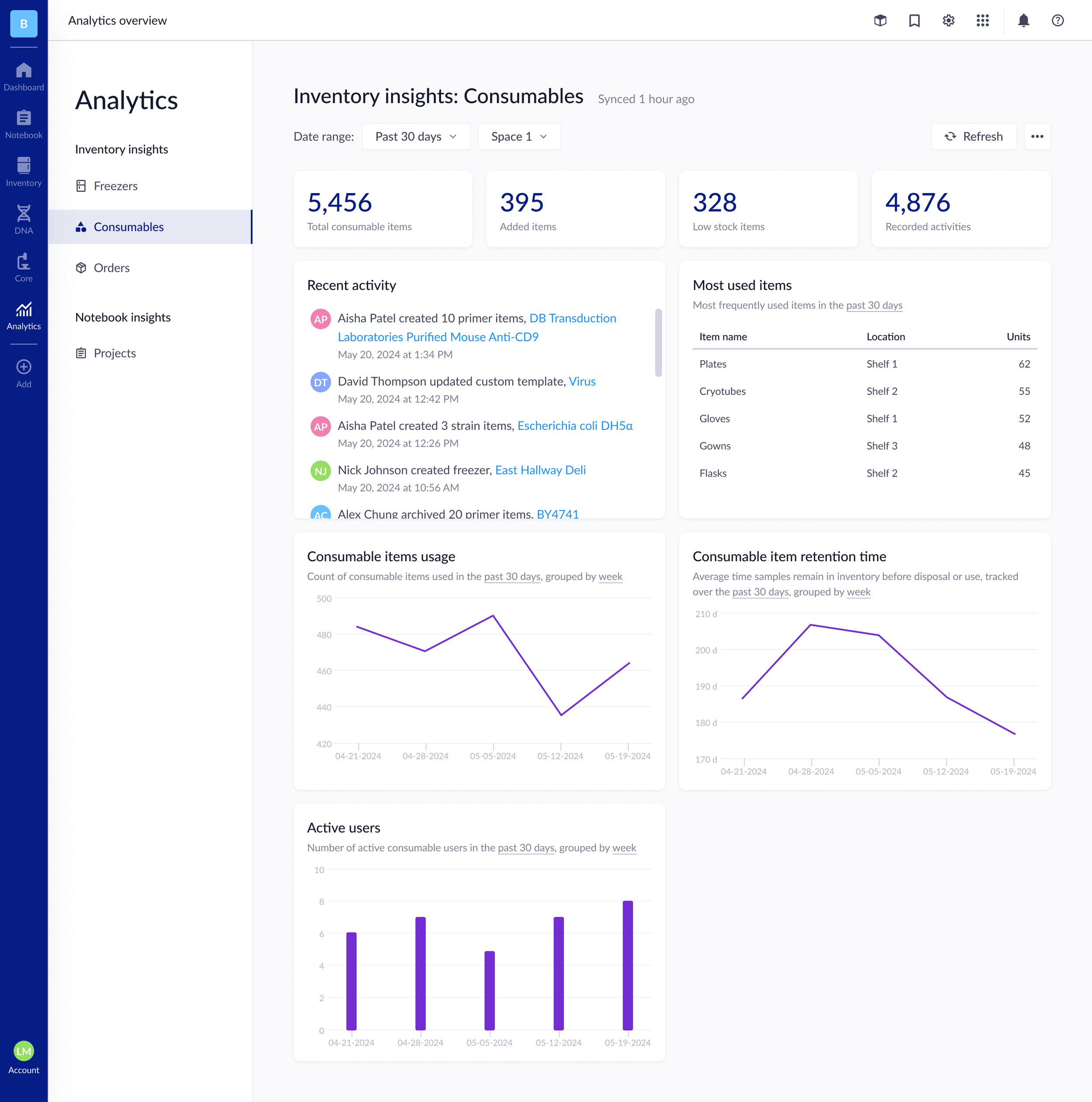
Analytics Dashboard
Introduced a high-level view of lab activity across modules
Enabled lab managers to track usage trends and freezer capacity
Designed modular data cards for scalability as analytics expand
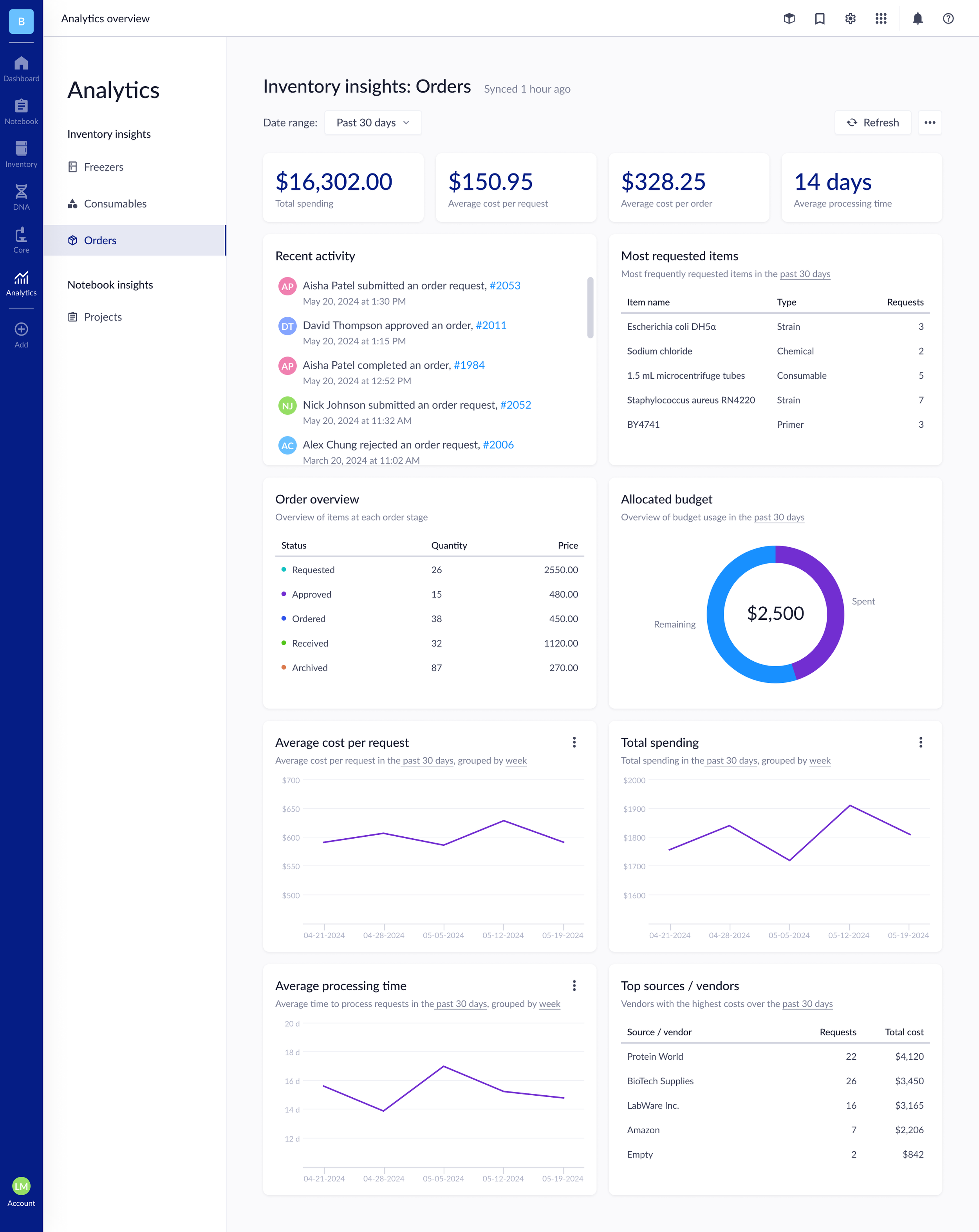
A look into Genemod’s Analytics feature for Freezers, Orders and Consumables
Simultaneously, I worked on ticket-driven fixes such as improving our barcode scanning UI and allowing users to move items from one place to another.

Before
After
Impact of allowing more flexible organization:
Simplify repetitive workflows: Reduced the time scientists spent rebuilding existing racks across freezers
Decrease manual labor: Eliminated the need for duplicate setup steps, streamlining sample management
Improve flexibility: Enabled effortless location switching to support evolving lab layouts and sharing needs



Genemod’s “Move Rack & Category” feature: designed to support faster reorganization and cross-freezer flexibility
Collaboration and Handoff
I collaborate daily with engineers to ensure designs are implemented accurately and efficiently. Using Figma components, shared libraries, and annotated handoff specs, I make it easy for developers to access states, variants, and spacing logic.
In parallel, I manage some project coordination tasks in Jira, helping organize sprints, prioritize user tickets, and ensure visual QA before launch.
Post-launch, I revisit tickets to monitor whether design updates resolved the original issue and gather feedback for continuous improvement.
Key Projects
System-wide Barcode Implementation
Designed barcode workflows for item creation, storage, and retrieval to unify inventory tracking
Improved accuracy and traceability of lab samples by integrating barcode scanning into key modules
Reduced human error and manual entry, improving lab efficiency and standardization
Results and Impact
Reduced post-release bugs by improving internal QA validation before launch
Positive feedback from enterprise clients citing improved clarity and visual design consistency
Faster feature adoption for new modules like Analytics
Strengthened Genemod’s brand perception through a more consistent and scalable UI
Improved collaboration between design and engineering through structured design systems
Reflection
Freezer item color coding
Introduced color-coded indicators for freezer items to visually differentiate sample statuses
Enhanced user efficiency by reducing time spent locating and identifying specific samples
Improved accessibility and readability for users managing large datasets of samples
Working at Genemod has taught me that great design isn’t just about visual polish — it’s about balance.
Balancing new feature innovation with ongoing customer improvements has strengthened my ability to prioritize, empathize, and design for scalability.
This experience deepened my understanding of how thoughtful design decisions can transform complex scientific workflows into intuitive, human-centered experiences.